A website may have valuable content and a professional design, but that does not necessarily mean it is fully optimized for search engines. Technical problems, poor site structure, missing metadata, slow pages, indexing issues, and weak content can all affect organic search performance.
This is why an SEO Audit is an important part of a successful SEO strategy.
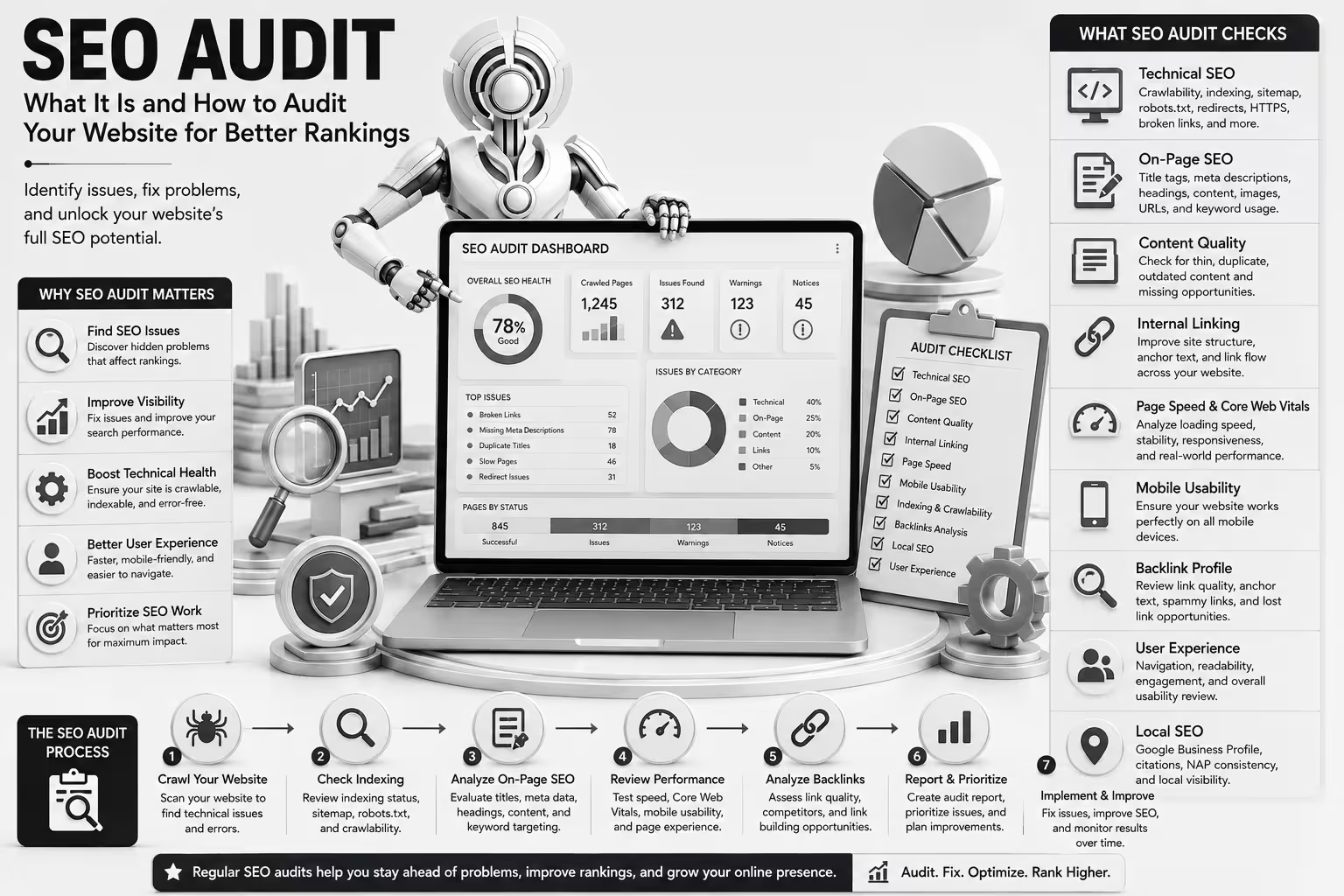
An SEO audit is a detailed review of a website to identify issues and opportunities that may affect its search visibility, technical performance, content quality, user experience, and overall SEO health.
In this guide, we will explain what an SEO Audit is, why it matters, what you should check during a website audit, and how businesses can use the findings to improve their website and search performance in 2026.
What Is an SEO Audit?
An SEO Audit is a systematic analysis of a website to identify problems, weaknesses, and opportunities related to search engine optimization.
An audit can examine different areas of a website, including:
- Technical SEO
- On-page SEO
- Website structure
- Content quality
- Internal linking
- Page speed
- Mobile usability
- Indexing
- Crawlability
- Backlinks
- Local SEO
- Metadata
- User experience
The purpose is not simply to create a long list of errors.
A useful SEO audit should identify the issues that matter most, explain why they matter, and provide practical recommendations for fixing them.
Why Is an SEO Audit Important?
Search engines need to be able to crawl, understand, and index your website before your pages can compete effectively in organic search results.
An SEO audit can help you discover problems that may otherwise remain unnoticed.
Find SEO Issues
A website audit can reveal technical and content problems that may be limiting your search visibility.
Improve Search Visibility
Fixing important SEO problems can create a stronger foundation for your pages to perform in search.
Identify Technical Problems
Issues involving crawling, indexing, redirects, broken links, duplicate content, or website performance can affect the overall health of a website.
Improve User Experience
SEO and user experience often overlap. Faster pages, clearer navigation, mobile-friendly layouts, and useful content can benefit both users and search performance.
Prioritize SEO Work
An audit helps you determine which problems should be addressed first instead of making random changes to your website.
What Does an SEO Audit Check?
A comprehensive SEO audit usually examines several major areas.
1. Technical SEO
Technical SEO focuses on the infrastructure and technical elements that help search engines access and understand your website.
A technical SEO audit may review:
- Crawlability
- Indexing
- XML sitemap
- Robots.txt
- Canonical URLs
- Redirects
- HTTPS
- Broken pages
- Duplicate URLs
- Website architecture
- Mobile usability
- Page performance
Technical problems can prevent otherwise good content from performing as expected.
2. On-Page SEO
An audit should also examine how individual pages are optimized.
Review:
- Title tags
- Meta descriptions
- H1 headings
- H2 and H3 structure
- Keyword targeting
- Content quality
- Image alt text
- Internal links
- URLs
- Search intent
Each important page should have a clear purpose and should satisfy the intent behind its target search queries.
3. Content Quality
Content is another major part of a website audit.
Look for:
- Thin content
- Outdated information
- Duplicate or overlapping pages
- Missing topics
- Poorly structured articles
- Content that does not match search intent
- Pages with little organic traffic
- Content that no longer supports business goals
The goal should not be to create content simply to increase the number of pages on a website.
Instead, focus on useful, accurate, relevant, and well-organized content.
4. Internal Linking
Internal links help connect related pages across your website.
During an audit, check whether:
- Important pages have internal links
- Related articles link to each other
- Anchor text is descriptive
- There are excessive orphan pages
- Navigation makes important pages easy to discover
A good internal linking structure can improve navigation and help search engines understand relationships between pages.
5. Website Performance
Website performance can affect user experience and can be an important part of technical SEO.
Review:
- Loading performance
- Responsiveness
- Layout stability
- Image sizes
- JavaScript
- CSS
- Caching
- Hosting performance
- Mobile performance
Core Web Vitals can provide useful measurements of real-world page experience.
Performance optimization should focus on improving the experience without sacrificing useful functionality or content.
6. Mobile Usability
Your website should work properly across smartphones, tablets, and desktop devices.
Check whether:
- Text is readable
- Buttons are easy to tap
- Navigation works correctly
- Content fits smaller screens
- Images are responsive
- No important content is hidden or difficult to access
A website that works well on desktop but provides a poor mobile experience can lose potential visitors.
7. Backlink Profile
A complete SEO audit may also review external links pointing to your website.
Look at:
- Referring domains
- Relevant backlinks
- Anchor text
- Lost backlinks
- Suspicious or unwanted links
- Competitor backlink profiles
The goal is to understand the quality and relevance of your website’s backlink profile rather than simply counting links.
How to Perform an SEO Audit
You can perform an SEO audit manually, with SEO tools, or through professional SEO audit services.
Here is a practical step-by-step process.
Step 1: Crawl Your Website
Start by crawling your website to understand its structure and identify technical problems.
A website crawler can help identify:
- Broken links
- Redirects
- Missing titles
- Duplicate titles
- Missing meta descriptions
- Canonical issues
- Status-code errors
- Orphan pages
This provides a useful overview of the technical condition of your website.
Step 2: Check Indexing
Your pages need to be properly accessible and eligible for indexing if you want them to appear in search results.
Review:
- Indexed pages
- Excluded pages
- Noindex directives
- Canonical tags
- Robots.txt
- XML sitemap
Google Search Console can provide valuable information about how Google discovers and indexes your website.
Step 3: Review Your XML Sitemap
Your XML sitemap helps search engines discover important URLs on your website.
Make sure it:
- Contains important canonical URLs
- Does not contain unnecessary URLs
- Does not contain broken pages
- Is accessible
- Is submitted through the appropriate search engine tools
A sitemap does not guarantee indexing, but it can help search engines discover your important pages.
Step 4: Analyze Page Titles and Meta Descriptions
Review important pages and make sure their titles and descriptions accurately represent the content.
Look for:
- Missing titles
- Duplicate titles
- Unclear titles
- Missing descriptions
- Duplicate descriptions
- Keyword stuffing
- Titles that do not match search intent
Every important page should communicate its topic clearly.
Step 5: Check Heading Structure
Review your H1, H2, and H3 headings.
A logical structure can make content easier to understand.
For example:
H1: SEO Services for Small Businesses
H2: Benefits of SEO
H2: SEO Services
H3: Technical SEO
H3: Local SEO
Headings should describe the sections rather than being used simply to insert keywords.
Step 6: Evaluate Content
Review your most important pages and ask:
- Is the content useful?
- Is it accurate?
- Is it up to date?
- Does it satisfy search intent?
- Does it provide enough detail?
- Is it easy to read?
- Does it have a clear purpose?
Also identify pages that overlap heavily with other pages.
In some cases, updating, combining, or removing content may be more useful than creating another new page.
Step 7: Review Internal Links
Identify important pages that receive few or no internal links.
Add relevant internal links where they genuinely help users navigate between related topics.
Use descriptive anchor text and avoid forcing keywords into links unnaturally.
Step 8: Check Page Speed and Core Web Vitals
Test important pages on both desktop and mobile devices.
Look for opportunities to improve:
- Image delivery
- Unnecessary scripts
- CSS
- JavaScript
- Caching
- Server response time
- Layout stability
Do not focus only on achieving a perfect tool score. Prioritize improvements that create a better real-world experience.
Step 9: Review Mobile Experience
Open important pages on mobile devices and test the actual experience.
Check:
- Navigation
- Forms
- Buttons
- Text size
- Images
- Popups
- Menus
- Page layout
A technical audit should consider how real visitors interact with the website.
Step 10: Analyze Backlinks and Competitors
Review your backlink profile and compare it with relevant competitors.
Look for opportunities such as:
- Industry publications
- Relevant resource pages
- Partnerships
- Digital PR
- Content opportunities
Competitor analysis can also reveal content topics and SEO opportunities that your website may currently be missing.
Common SEO Issues Found During Website Audits
An SEO audit can reveal many different problems. Some of the most common include:
Missing or Duplicate Title Tags
Important pages may have missing, duplicated, or poorly written titles.
Missing Meta Descriptions
Some pages may not have useful descriptions for search users.
Broken Links
Links pointing to deleted or unavailable pages can create a poor user experience.
Slow Pages
Large images, excessive scripts, poor caching, or hosting limitations can affect page performance.
Indexing Problems
Important pages may accidentally contain noindex directives or may otherwise be excluded from search results.
Duplicate Content
Similar or duplicated pages can make it harder for search engines to determine which version should be prioritized.
Orphan Pages
An orphan page has few or no internal links pointing to it, making it harder for users and search engines to discover.
Poor Internal Linking
Important pages may not receive enough contextual internal links.
Mobile Usability Problems
Content or functionality may not work properly on smaller screens.
Weak Content
Some pages may not provide enough useful information to satisfy the searcher’s intent.
SEO Audit Tools
Several tools can help with different parts of a website audit.
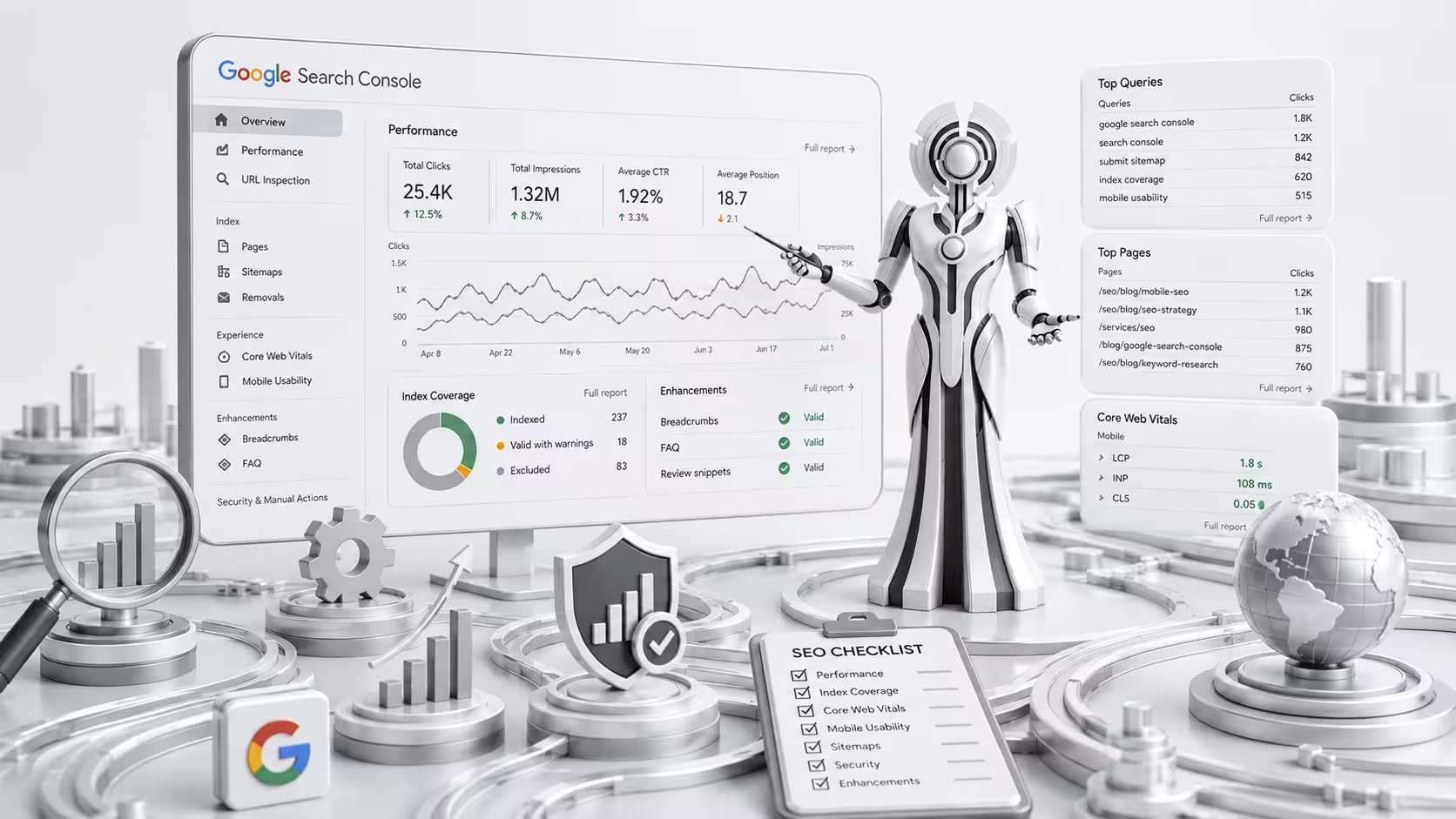
Google Search Console
Google Search Console provides information about search performance, indexing, technical issues, and how Google interacts with your website.
Google Analytics
Analytics can help you understand traffic, engagement, conversions, and user behavior.
Website Crawlers
SEO crawling tools can identify technical problems across large websites.
PageSpeed and Performance Tools
Performance testing tools can help identify loading and user-experience issues.
Keyword Research Tools
Keyword tools can help evaluate rankings, search demand, competitors, and content opportunities.
No single tool provides a complete SEO audit. A strong audit combines data from multiple sources with human analysis.
How Often Should You Perform an SEO Audit?
There is no single schedule that works for every website.
A small website may benefit from a detailed audit periodically and ongoing monitoring of important issues.
Larger websites, e-commerce stores, and frequently updated websites may require more regular technical monitoring.
You should also consider an SEO audit when:
- Launching a new website
- Redesigning a website
- Migrating to a new platform
- Changing domains
- Losing significant organic traffic
- Experiencing indexing problems
- Publishing a large amount of new content
- Seeing unexpected ranking changes
Regular monitoring can help identify important problems before they become major issues.
How SEO Audit Services Can Help
Professional SEO audit services can provide a more detailed analysis of your website and help prioritize improvements.
A professional audit may include:
- Technical SEO audit
- On-page SEO analysis
- Content audit
- Keyword analysis
- Competitor analysis
- Backlink analysis
- Internal linking review
- Page performance analysis
- Indexing review
- Local SEO analysis
- Actionable recommendations
The most useful audit is not necessarily the longest one. It is the one that identifies the issues most likely to affect your website and provides a clear plan for addressing them.
How to Prioritize SEO Issues
Not every problem needs to be fixed immediately.
A useful approach is to prioritize issues based on:
Impact: How strongly could this issue affect SEO or users?
Severity: Is it preventing important pages from being crawled, indexed, or used?
Effort: How difficult is it to fix?
For example, accidentally blocking important pages from search engine crawling should generally receive higher priority than making a minor metadata improvement.
This approach helps businesses focus their resources on changes that can make the biggest difference.
SEO Audit Checklist
Use this checklist when reviewing your website:
- Website can be crawled
- Important pages can be indexed
- XML sitemap is available and accurate
- Robots.txt is configured correctly
- HTTPS is working properly
- Important pages have unique title tags
- Meta descriptions are optimized
- Heading structure is logical
- Content matches search intent
- Internal linking is strong
- Broken links are identified and fixed
- Important pages are not orphaned
- Images are optimized
- Website works well on mobile
- Page performance is reviewed
- Core Web Vitals are monitored
- Backlink profile is reviewed
- Competitors have been analyzed
- Outdated content is identified
- SEO issues are prioritized by impact
Final Thoughts
An SEO Audit provides a detailed look at how well your website is optimized for search engines and users.
From technical SEO and indexing to content, internal linking, backlinks, mobile usability, and website performance, an audit can uncover problems that may otherwise limit your organic growth.
However, the purpose of an audit is not simply to find errors. The real value comes from turning those findings into a practical SEO action plan.
Whether you perform a website audit yourself or work with professional SEO audit services, regular analysis can help you identify opportunities, fix important SEO issues, and build a stronger foundation for long-term search visibility.
A well-optimized website is not created through one audit. SEO is an ongoing process of monitoring, improving, testing, and adapting to changes in search behavior and your business goals.