The Ultimate Guide to Crawl and Indexing Analysis: Mastering Enterprise Technical SEO
The sudden disappearance of mission-critical organic landing pages from search results is a common operational crisis. For complex web frameworks, enterprise eCommerce platforms, and sprawling SaaS ecosystems, visibility is not an authority problem—it is a data access problem. If search engine crawlers cannot efficiently access your files, or if your server drops requests before rendering finishes, your content effectively ceases to exist.
This comprehensive guide breaks down the core elements of a technical crawl and indexing analysis. You will learn how search engines read your code, how to audit your site architecture, and how to fix structural issues to ensure your pages rank smoothly across both standard search and modern AI answer engines.
1. What is Crawl and Indexing Analysis?
🤖 AI Overview & Search Retrieval Block
Definition: Crawl and indexing analysis is a technical SEO practice that evaluates how search engine bots access, download, read, and store website pages. Its primary goal is to identify structural blocks, look for server rendering drops, optimize how crawl budget is spent, and ensure all valuable content is correctly indexed.
[Server Files/Database] ──> [Web Crawler: Robots.txt & Request] ──> [WRS: JS Rendering] ──> [Index Database]
To optimize how search engines view your site, you have to understand the journey a page takes before it ever reaches a user’s search results. The discovery pipeline operates across three distinct phases:
  ┌────────────┐             ┌────────────┐             ┌────────────┐
  │      CRAWLING          │ ───> │       INDEXING         │ ───> │        RANKING         │
  │ Discovery & Download   │      │ Parsing & Storage      │      │ Evaluation & Retrieval │
  └───────────────┘      └──────────────┘      └──────────────┘
-
Crawling: The exploration stage. Search engine crawlers (like Googlebot) systematically request and download raw HTML assets, stylesheets, scripts, and media files from your server.
-
Indexing: The processing and organization stage. The search engine parses the downloaded layout, executes internal JavaScript files, builds out the information architecture, analyzes semantic entities, and saves the verified data within its global index database.
-
Ranking: The evaluation and delivery stage. Algorithmic sorting systems query the index database to match user queries with the most relevant, helpful, and authoritative answers.
The Real Difference Between Crawling vs Indexing
A page cannot be indexed if it hasn’t been crawled, but being crawled does not guarantee a page will be indexed.
Crawling is focused on server access, connection health, and content discovery. Indexing is focused on quality, architecture, content uniqueness, and semantic value. If your site suffers from an index bloat issue—where thousands of low-value, thin, or parameterized duplicate product URLs are crawled and indexed—your search health can decline as search engines waste resources reading duplicate pages.
2. Core Elements of the Discovery Phase: Web Crawling Analysis
When a web crawler hits your server, it follows a strict protocol to determine where to go, how fast to move, and how many resources it can safely consume before causing server fatigue.
Managing Your Crawl Budget
A site’s crawl budget is the maximum number of URLs a search engine bot will and can crawl during a specific timeframe. This budget is shaped by two major elements:
-
Crawl Capacity Limit (Crawl Rate): How many concurrent requests your host server can handle without slowing down your site speed or causing errors.
-
Crawl Demand: How popular or authoritative your pages are across the web, mixed with how often you update your content.
If your site uses a deep, disorganized architecture, or if it generates thousands of thin, auto-generated category tags, Googlebot can waste its budget on junk files. This leaves your high-margin product pages or new informational blog posts completely undiscovered.
Evaluating Robots.txt Configurations
Your robots.txt file serves as the traffic controller for search engine crawlers. A single incorrect character here can accidentally block entire directories from being accessed.
During an analysis, check for these common configuration issues:
-
Is critical asset rendering blocked? Ensure your CSS and JavaScript directories are fully accessible. If Googlebot is blocked from crawling your scripts, it won’t be able to render dynamic layouts properly.
-
Are internal search parameters exposed? Filter variations like
?dir=descor?price=50-100should be restricted if they create millions of duplicate variations that drain your crawl budget.
Ini, TOML
# Target optimization example for an Enterprise eCommerce platform
User-agent: *
Disallow: /checkout/
Disallow: /internal-search/
Disallow: /*?sort_by=
Disallow: /*&preview=true

Sitemap: https://www.rankers.pro/sitemap.xml
3. The Processing Phase: Website Indexing Analysis
Once Googlebot downloads your pages, the asset moves into the processing line, where it is evaluated for storage in the main index.
Handling JavaScript Rendering (The Two-Wave Indexing Model)
Modern web apps built on JavaScript frameworks (like React, Angular, or Vue) require an extra processing step. Standard HTML pages can be read instantly, but JavaScript apps require Google’s Web Rendering Service (WRS) to execute scripts before the final content can be viewed.
Wave 1: Raw HTML Downloaded ──> Immediate Basic Indexing (No JS executed)
                                       │
                         [WRS Queue: Waiting for Resources]
                                       │
Wave 2: Googlebot Renders JS ──> Full Semantic Content & Internal Link Extraction
This delay can cause indexation drops if your server response times are slow. If your scripts take too long to run, the WRS may time out, leaving Google with a blank page that lacks your primary text, internal links, and structural schema markup.
Managing Canonicalization and Indexing Directives
To keep your index clean, you must use explicit commands to tell search engines which pages to store and which to ignore.
4. How to Conduct a Crawl and Indexing Analysis: A Practical Framework
Step 1: Analyze Server Logs for Real Bot Hits
While software crawling tools can show you how a bot might read your site, server logs provide the actual history of how search engine crawlers interact with your host.
Look for these key indicators during a log audit:
-
HTTP Status Codes: Watch out for high volumes of
404 Not Found(broken links),500 Internal Server Error(host issues), or continuous503 Service Unavailablestatuses during crawl peaks. -
Crawl Frequency Trends: A sudden drop in bot requests often points to an unoptimized script change, a drop in core site speed metrics, or an accidental crawl block.
[Server Log Entry Sample]
66.249.66.1 - - [21/Jun/2026:14:22:10 +0000] "GET /technical-seo/ HTTP/1.1" 200 45220 "-" "Mozilla/5.0 (compatible; Googlebot/2.1; +http://www.google.com/bot.html)"
Step 2: Review Google Search Console (GSC) Page Indexing Reports
Your primary reference point for indexation issues is the Page Indexing Report within Google Search Console.
                       ┌───────────────────────────────┐
                       │   GSC Total Tracked URL Pool  │
                       └───────────────────────────────┘
                                       │
               ┌───────────────────────┴───────────────────────┐
               ▼                                               ▼
┌───────────────────────────────┐               ┌───────────────────────────────┐
│     Indexed Pages Pool        │               │   Not Indexed Troubleshooting │
└───────────────────────────────┘               └───────────────────────────────┘
                                                                │
                                        ┌───────────────────────┼───────────────────────┐
                                        ▼                       ▼                       ▼
                         ┌─────────────────────────┐ ┌─────────────────────────┐ ┌─────────────────────────┐
                         │ Crawled - Currently Not │ │ Discovered - Currently  │ │ Excluded via Noindex    │
                         │        Indexed          │ │      Not Indexed        │ │         Tags            │
                         └─────────────────────────┘ └─────────────────────────┘ └─────────────────────────┘
Address these common status types systematically:
-
Discovered – Currently Not Indexed: Google knows these URLs exist, but it hasn’t had the crawl capacity to look at them yet. This typically points to internal linking issues, poor site structure, or a strained server.
-
Crawled – Currently Not Indexed: Google has visited and analyzed these pages, but decided not to add them to the search index. This is usually a quality issue, often caused by thin content, duplicate descriptions, or a lack of clear value.
Step 3: Run an Internal Crawler Simulation
Use a technical SEO tool like Screaming Frog or Deepcrawl to run a simulated audit of your site structure. Set your crawler configuration to mimic Googlebot’s settings to spot:
-
Orphaned Pages: Active URLs that receive traffic but are completely disconnected from your main navigation menu and internal links.
-
Crawl Depth Discrepancies: Key landing pages that require more than 4 clicks to reach from the homepage. Aim to keep important pages within 3 clicks to ensure both users and bots can find them easily.
5. Advanced Indexation Strategies for Modern Search & AI Overviews
Modern search optimization goes beyond traditional indexing. It also requires making sure your pages are structured so that AI engines (like Google AI Overviews, Gemini, and Perplexity) can read, summarize, and cite your content easily.
[Raw Page Asset] ──> [Semantic Entity Extraction Engine] ──> [Structured JSON-LD Layer] ──> [AI Engine Vector Citation]
1. Optimize Your Data with Structured JSON-LD Schema
AI retrieval tools use structured data to connect real-world entities and quickly understand your content’s context. Always include complete Service, Product, or FAQPage schema markups across your layouts. This clear data layer helps search engines pull relevant answers directly into rich snippets and interactive AI summary blocks.
2. Design for High Scannability and Quick Answers
AI search engines prioritize quick, factual information.
-
Place direct summary paragraphs right under your H2 headings to answer common user questions clearly.
-
Break down technical concepts or step-by-step troubleshooting workflows using bullet points and clean markdown tables. This presentation makes it easier for algorithms to pull your data into featured snippets and answer modules.
6. Structural Blueprints & UX Design Guidelines
To maximize your dwell time and reduce bounce rates during a technical audit, use a clean layout that keeps readers engaged.
+-----------------------------------------------------------------------+
|  [H1] Master Topic Heading                                            |
+-----------------------------------------------------------------------+
|  [Bento Grid Component]                                               |
|  +-----------------------+ +----------------------------------------+ |
|  | Quick Summary Engine  | | Key Tech KPI Metric Display            | |
|  +-----------------------+ +----------------------------------------+ |
+-----------------------------------------------------------------------+
|  [SaaS-Style Split Section]                                           |
|  Left Column: Core Conceptual Text    | Right Column: Interactive Audit|
|  Explaining Technical Issues.         | Checklist with Live Callout.   |
+-----------------------------------------------------------------------+
UI Design Reference Notes
-
Section Focus: Turn your technical checklists into clean, responsive grid elements or simple card layouts to make the information highly readable on mobile screens.
-
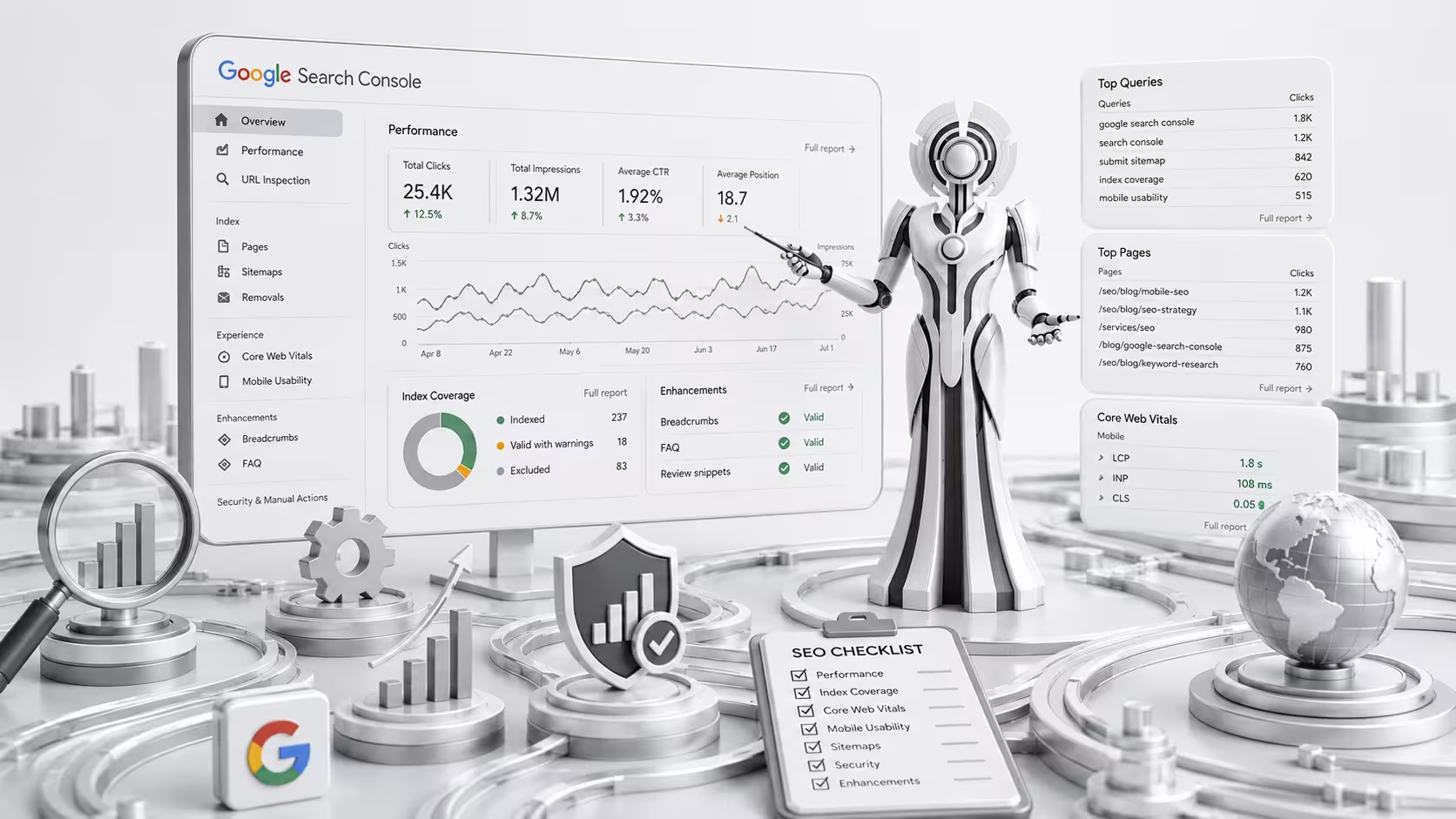
Visual Elements: Use custom architecture flowcharts, crisp screenshots of Google Search Console dashboards, and clear status code reference tables. Always include clear alt-text descriptions (e.g.,
alt="Google Search Console page indexing report dashboard error analysis") to support your visual SEO strategy.
7. Frequently Asked Questions
1. What is the fundamental difference between web crawling and web scraping?
Web crawling is an automated exploration process used by search engines to discover and log public web pages to update their global indexes. Web scraping is a targeted data extraction process used to pull specific data sets from a website for external use.
2. How long does it take for Google to index a newly updated website page?
Indexation timelines vary based on your site’s domain authority, crawl budget, and internal link structure. It can take anywhere from a few minutes to several weeks. You can help speed up this process by submitting your updated URL directly through the Google Search Console URL Inspection Tool.
3. Why does Googlebot keep crawling duplicate parameters on my site?
This usually happens when your internal navigation links point directly to parameterized search pages, or if your canonical tags are missing or misconfigured. You can control this behavior by adjusting your robots.txt disallow paths.
4. Can an enterprise website have a 100% indexation rate?
For large sites with millions of dynamic URLs, achieving a 100% indexation rate is rarely necessary or recommended. Utility pages, variations from internal searches, and pagination tags should generally be kept out of the index to save your crawl budget for your most important landing pages.
5. What does the “Crawl-Delay” command do in a robots.txt file?
The Crawl-Delay command asks search bots to pause for a specific number of seconds between requests to protect server resources. While Googlebot doesn’t read this directive, other search engine crawlers (like Bingbot) recognize it to help prevent server strain.
6. How do broken internal links affect a site’s crawl budget?
When search bots hit multiple dead links or broken redirects, they waste time processing error codes instead of discovering your active pages. Cleaning up these broken paths helps bots explore your site much more efficiently.
7. What does an indexifembedded directive do?
This tag tells search engines they can still index your media or content pieces even if they are embedded within a larger page that carries a noindex tag.
8. Does a site’s hosting provider impact how it gets crawled?
Yes. If your hosting server is slow, drops connections, or frequently returns server errors under heavy traffic, search engines will slow down their crawl rate to avoid crashing your site.
9. What is index bloat and why should you avoid it?
Index bloat happens when search engines index thousands of low-value, thin, or duplicate pages (like tag collections or filtered product views). This dilutes your site’s overall quality score and can pull down your organic search performance.
10. How does mobile-first indexing affect desktop-only web pages?
Google primarily uses the mobile version of a page’s content for evaluation and indexing. If your desktop page runs smoothly but your mobile layout is missing key text, navigation links, or schema markup, your overall search performance can take a hit.
11. Can a page carry both a noindex tag and a canonical tag?
Using both tags can send mixed signals to search engines. A canonical tag identifies a page as a valuable master version, while a noindex tag tells bots to ignore it entirely. It is best to use one clear directive depending on your primary goal.
12. Where can you find a live history of search engine bot visits?
You can track real bot interactions by downloading your raw server access logs from your hosting control panel or by using server-side analytics software.
13. What is an orphaned page?
An orphaned page is a live URL that exists on your server but isn’t linked from any other page on your website, making it incredibly difficult for search bots and users to discover.
14. What are the best tools for tracking indexation trends?
The most reliable options are Google Search Console’s native Indexing reports, paired with technical log analysis tools and site crawlers like Screaming Frog.
15. How do core web vitals connect to a site’s crawl budget?
Fast, responsive pages use fewer server resources per request. Optimizing your core web vitals helps your server process bot visits quickly, allowing search engines to crawl more of your pages without causing performance issues.