Website performance plays an important role in creating a good experience for visitors. If a website is slow, difficult to use, or unstable while loading, visitors may leave before they find the information, product, or service they need.
This is where Core Web Vitals SEO becomes important.
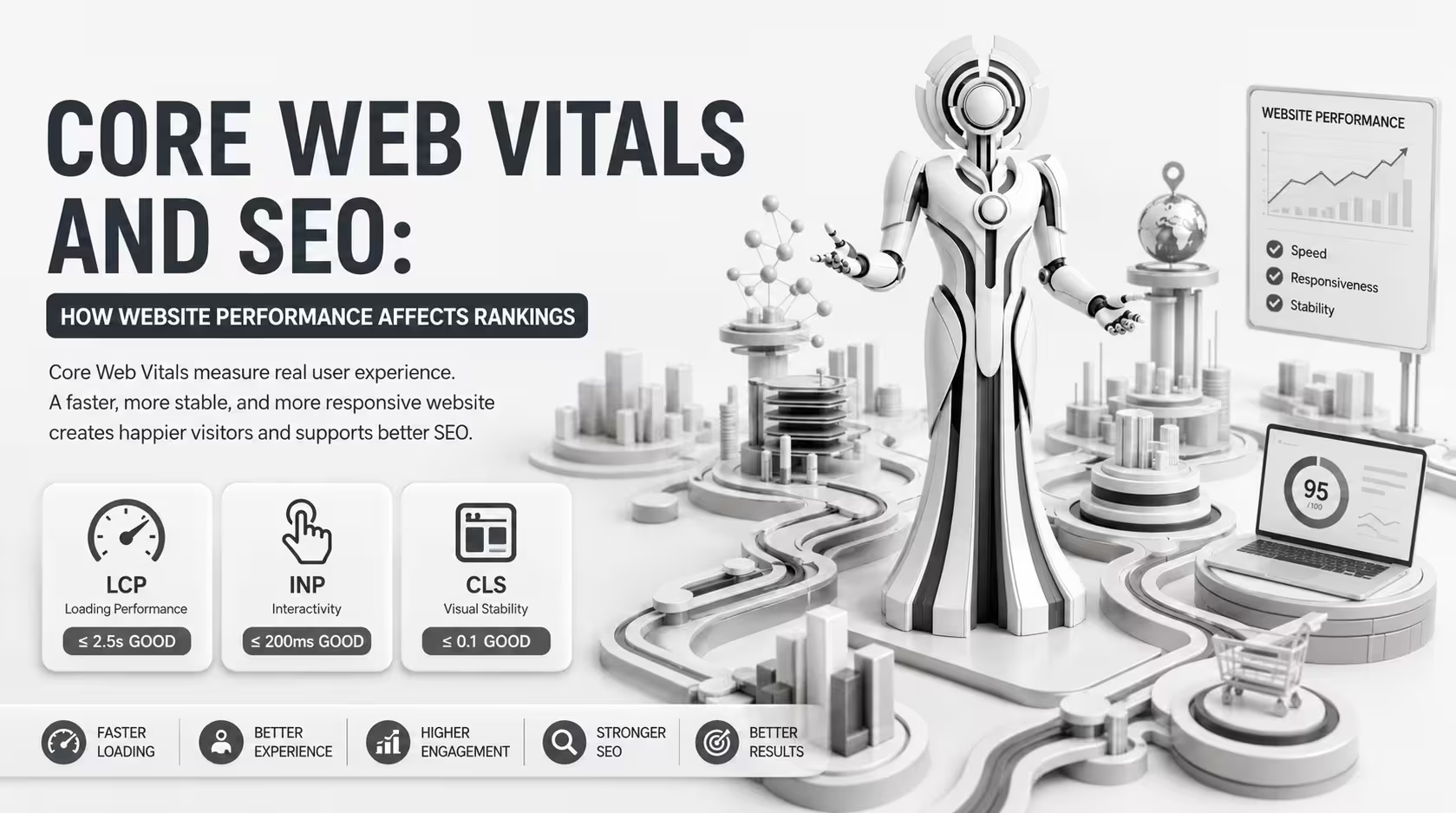
Core Web Vitals are a set of metrics used to evaluate important aspects of a webpage’s user experience, including loading performance, responsiveness, and visual stability. They are part of Google’s broader page experience considerations.
However, Core Web Vitals should not be treated as a simple ranking formula. Improving these metrics can create a better user experience, but strong rankings also depend on factors such as relevance, content quality, search intent, technical SEO, and overall website quality.
In this guide, we’ll explain what Core Web Vitals are, how they relate to SEO, why website performance matters, and how businesses can improve their site performance.
What Are Core Web Vitals?
Core Web Vitals are user-focused performance metrics that measure important aspects of webpage experience.
The three primary Core Web Vitals are:
- Largest Contentful Paint (LCP) — measures loading performance
- Interaction to Next Paint (INP) — measures responsiveness
- Cumulative Layout Shift (CLS) — measures visual stability
Together, these metrics help website owners understand whether visitors are getting a fast, responsive, and stable experience.
Why Are Core Web Vitals Important for SEO?
Core Web Vitals are relevant to technical SEO because website performance affects how users experience your pages.
A page that loads quickly and responds smoothly can make it easier for visitors to:
- Read content
- Navigate the website
- Interact with buttons
- Browse products
- Complete forms
- Make purchases
- Find important information
Google considers page experience signals as part of its broader systems for evaluating webpages. However, having excellent Core Web Vitals does not guarantee higher rankings.
Your website still needs useful, relevant content that satisfies the user’s search intent.
The Three Core Web Vitals
1. Largest Contentful Paint (LCP)
Largest Contentful Paint (LCP) measures how quickly the largest visible content element loads within the initial viewport.
This is usually a large image, video, heading, or block of text.
A good LCP is generally:
2.5 seconds or less
An LCP between:
2.5 and 4 seconds
needs improvement.
An LCP above:
4 seconds
is considered poor.
What Can Cause a Poor LCP?
Common causes include:
- Slow server response
- Large images
- Render-blocking resources
- Unoptimized CSS
- Slow fonts
- Excessive JavaScript
- Poor caching
- Third-party resources
How to Improve LCP
You can improve LCP by:
- Optimizing large images
- Improving server response time
- Using caching
- Reducing unnecessary resources
- Optimizing critical CSS
- Preloading important resources where appropriate
- Improving hosting performance
The goal is to make the main content visible to visitors as quickly as possible.
2. Interaction to Next Paint (INP)
Interaction to Next Paint (INP) measures how responsive a page is to user interactions.
For example, when a visitor:
- Clicks a button
- Opens a menu
- Selects a product option
- Uses a search field
- Interacts with a form
the page should respond smoothly.
A good INP is generally:
200 milliseconds or less
An INP between:
200 and 500 milliseconds
needs improvement.
An INP above:
500 milliseconds
is considered poor.
What Causes Poor INP?
One common cause is excessive JavaScript work.
A page may have too many scripts running in the browser, causing interactions to become delayed.
Other potential causes include:
- Long JavaScript tasks
- Heavy third-party scripts
- Inefficient code
- Excessive event handlers
- Complex page functionality
How to Improve INP
Consider:
- Reducing unnecessary JavaScript
- Removing unused scripts
- Breaking up long tasks
- Optimizing event handlers
- Limiting third-party scripts
- Improving frontend code efficiency
A responsive website makes interactions feel faster and more natural.
3. Cumulative Layout Shift (CLS)
Cumulative Layout Shift (CLS) measures unexpected movement of content while a page is loading.
Imagine clicking a button, only for an advertisement or image to load and push the button somewhere else.
That creates a frustrating user experience.
A good CLS score is generally:
0.1 or less
A score between:
0.1 and 0.25
needs improvement.
A score above:
0.25
is considered poor.
What Causes Layout Shifts?
Common causes include:
- Images without defined dimensions
- Dynamically inserted content
- Ads loading unexpectedly
- Web fonts changing page layout
- Late-loading elements
- Unstable page components
How to Improve CLS
You can reduce layout shifts by:
- Defining image dimensions
- Reserving space for dynamic content
- Managing ad placement carefully
- Optimizing font loading
- Avoiding unexpected content insertion
The objective is to keep the page visually stable while it loads.
Core Web Vitals SEO and Page Experience
Core Web Vitals are part of the broader concept of page experience.
Page experience considers how users interact with a webpage and includes several aspects of website usability and accessibility.
Important areas include:
- Mobile usability
- HTTPS security
- Safe browsing
- Intrusive interstitial considerations
- Core Web Vitals
However, good page experience does not replace high-quality content.
If another page provides significantly more relevant and useful information for a particular search, simply having better Core Web Vitals does not guarantee that your page will outrank it.
How Website Speed Affects SEO
Website speed can influence the overall user experience.
When pages load slowly, visitors may:
- Leave the website
- View fewer pages
- Abandon forms
- Abandon shopping carts
- Spend less time interacting with the site
This can affect business performance even if the direct ranking impact is limited.
For example, an ecommerce store may lose potential customers if product pages take too long to load.
This means website speed optimization should be viewed from two perspectives:
SEO perspective: Improve page experience and technical quality.
Business perspective: Make it easier for visitors to complete important actions.
How to Check Core Web Vitals
There are several ways to evaluate Core Web Vitals.
You can use tools such as:
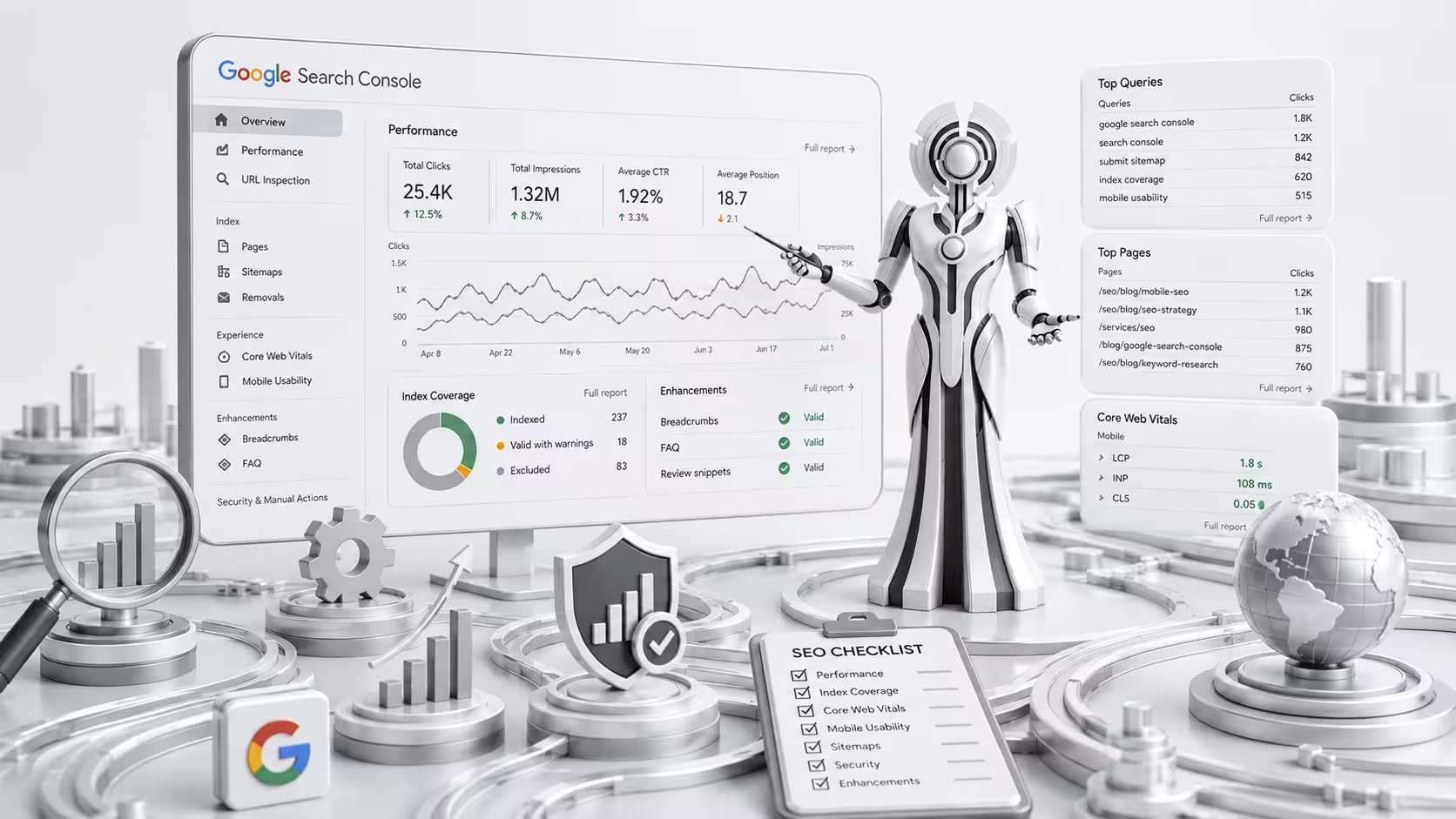
- Google Search Console
- PageSpeed Insights
- Chrome DevTools
- Chrome User Experience Report
These tools can help identify performance problems and show whether pages are meeting recommended thresholds.
Google Search Console
Google Search Console can provide Core Web Vitals information based on real-world user data for eligible pages.
This can help website owners identify groups of URLs that may have performance issues.
PageSpeed Insights
PageSpeed Insights provides both lab-based and, where available, real-user performance information.
It can also provide recommendations for improving page performance.
Lab Data vs Real User Data
Understanding the difference between lab and field data is important.
Lab Data
Lab testing uses a controlled environment to simulate how a page performs.
It is useful for:
- Debugging
- Testing changes
- Identifying technical problems
- Comparing improvements
Field Data
Field data comes from real users and real browsing conditions.
Performance can vary depending on:
- Device
- Network
- Location
- Browser
- Hardware
- Connection speed
This is why a website can perform well in one test environment but show different results for real users.
How to Improve Core Web Vitals
Improving Core Web Vitals often requires technical work.
Here are some practical areas to review.
Optimize Images
Large images are one of the common causes of slow-loading pages.
Use appropriately sized images and modern formats where suitable.
Avoid uploading a huge image when the page only needs a much smaller version.
Improve Server Response Time
A slow server can delay the loading of the entire page.
Review:
- Hosting quality
- Server configuration
- Caching
- Database performance
- Backend processing
Improving server response time can help reduce delays before the browser receives important resources.
Use Caching
Caching can reduce the amount of work required to generate and deliver pages.
Depending on your website platform, you may use:
- Page caching
- Browser caching
- Object caching
- CDN caching
Caching should be configured carefully to avoid serving outdated or incorrect content.
Reduce Unnecessary JavaScript
Too much JavaScript can increase processing time and affect responsiveness.
Review scripts and remove those that are no longer needed.
Pay particular attention to:
- Tracking scripts
- Chat widgets
- Marketing tools
- Unused plugins
- Third-party integrations
Optimize CSS
Large or inefficient CSS files can delay rendering.
Consider:
- Removing unused CSS
- Minifying CSS
- Optimizing critical CSS
- Reducing unnecessary styles
Optimize Fonts
Web fonts can sometimes cause visual changes or delays.
Use a sensible number of font files and weights.
Where appropriate, optimize font loading and provide suitable fallback behavior.
Use a Content Delivery Network
A CDN can help deliver website resources from servers closer to users.
This can be particularly useful for businesses serving visitors across different geographic locations.
Core Web Vitals for WordPress Websites
WordPress websites can experience performance problems because of themes, plugins, scripts, images, and hosting.
Common WordPress performance issues include:
- Too many plugins
- Heavy themes
- Large images
- Poor hosting
- Excessive JavaScript
- Unoptimized CSS
- Third-party scripts
- Poor caching
A WordPress SEO strategy should therefore include performance monitoring and technical optimization.
However, deleting plugins simply because they exist is not always the right solution. The goal is to identify which resources are actually affecting performance.
Core Web Vitals for Shopify Stores
Shopify stores also need to pay attention to performance.
Ecommerce stores often use:
- Product images
- Reviews
- Marketing apps
- Analytics tools
- Chat widgets
- Tracking scripts
- Product filters
These features can add resources to a page.
For Shopify stores, website speed optimization may involve reviewing theme code, image sizes, installed apps, third-party scripts, and other resources.
The objective should be to maintain useful ecommerce functionality while minimizing unnecessary performance costs.
Core Web Vitals and Mobile SEO
Mobile performance is particularly important because mobile users may browse websites on slower networks and less powerful devices.
A page that feels fast on a high-end desktop computer may perform very differently on a smartphone.
When testing mobile performance, consider:
- Network conditions
- Device processing power
- Image sizes
- JavaScript execution
- Layout stability
- Touch interactions
Optimizing for mobile can improve the overall experience for a large portion of your audience.
Do Core Web Vitals Directly Improve Rankings?
It is important to have realistic expectations.
Improving Core Web Vitals does not automatically mean your website will jump from page 10 to position 1.
Search rankings are influenced by many factors, including:
- Relevance
- Content quality
- Search intent
- Website authority
- Links
- Technical SEO
- User experience
- Competition
Core Web Vitals are one part of the broader page experience picture.
Therefore, you should not sacrifice useful content or important website functionality simply to chase a perfect performance score.
Should You Aim for a 100 PageSpeed Score?
Not necessarily.
A high PageSpeed score can be useful, but it should not become the sole objective of your SEO strategy.
A website can have a very high lab score and still have problems for real users.
Likewise, improving a score from 90 to 100 may provide less business value than fixing a major usability issue.
Instead of obsessing over a single score, focus on:
- Real-user performance
- Core Web Vitals
- Mobile usability
- Conversion experience
- Website functionality
- Technical SEO
Performance optimization should support the overall quality of the website.
Common Core Web Vitals Mistakes
Focusing Only on Desktop
Always evaluate mobile performance as well.
Optimizing Only for a Test Score
A test score does not represent every real user’s experience.
Ignoring Third-Party Scripts
Marketing and tracking scripts can have a significant performance impact.
Uploading Oversized Images
Large images can unnecessarily increase page weight.
Using Too Many Plugins or Apps
Additional functionality can introduce additional resources.
Ignoring Backend Performance
Frontend optimization cannot fully compensate for a slow server.
Removing Useful Features Without Testing
Performance improvements should not create a poor shopping or browsing experience.
Core Web Vitals SEO Checklist
Use this checklist when reviewing your website:
- Check LCP performance
- Check INP performance
- Check CLS performance
- Test mobile performance
- Optimize large images
- Improve server response time
- Configure caching
- Reduce unnecessary JavaScript
- Remove unused resources
- Optimize CSS
- Review third-party scripts
- Optimize fonts
- Define image dimensions
- Test important landing pages
- Monitor real-user performance
Frequently Asked Questions About Core Web Vitals SEO
What are Core Web Vitals?
Core Web Vitals are Google’s user-focused metrics for measuring important aspects of webpage experience, including loading performance, responsiveness, and visual stability.
What are the three Core Web Vitals?
The three current Core Web Vitals are Largest Contentful Paint (LCP), Interaction to Next Paint (INP), and Cumulative Layout Shift (CLS).
Are Core Web Vitals a ranking factor?
Core Web Vitals are part of Google’s page experience signals. However, meeting the recommended thresholds does not guarantee higher rankings.
How can I improve Core Web Vitals?
Start by optimizing images, improving server response time, reducing unnecessary JavaScript, optimizing CSS, managing third-party scripts, improving caching, and addressing layout shifts.
Is website speed important for SEO?
Website performance is an important part of technical SEO and user experience. Faster, more responsive pages can make it easier for visitors to use your website, although speed alone does not determine search rankings.
How often should I check Core Web Vitals?
Performance should be monitored regularly, especially after major website changes, theme updates, plugin or app installations, redesigns, or new third-party integrations.
Final Thoughts
Core Web Vitals SEO is an important part of maintaining a technically healthy and user-friendly website.
LCP helps you understand loading performance, INP measures responsiveness, and CLS evaluates visual stability.
Improving these metrics can make your website faster, more responsive, and more comfortable to use. It can also strengthen your overall technical SEO and page experience.
However, Core Web Vitals should not be viewed as a shortcut to higher rankings.
The strongest SEO strategy combines performance optimization with high-quality content, search intent, keyword targeting, strong website architecture, technical SEO, internal linking, and a positive user experience.
Rather than chasing a perfect score, focus on building a website that is fast, stable, responsive, useful, and easy to navigate.
That approach can benefit both your search visibility and the people who visit your website.